Here is how Liebherr fridge controls temperature, in plain terms. A temperature sensor inside the cabinet reports to the electronic control, the control compares that reading with the temperature you set, and it switches the cooling on or off to keep the two close together. A separate sensor on the cold coil tells the control when frost has built up and when a defrost has finished. The control does the deciding, the sensors supply the information, and the compressor and fans do the work.
What does the temperature sensor in a Liebherr fridge actually do?
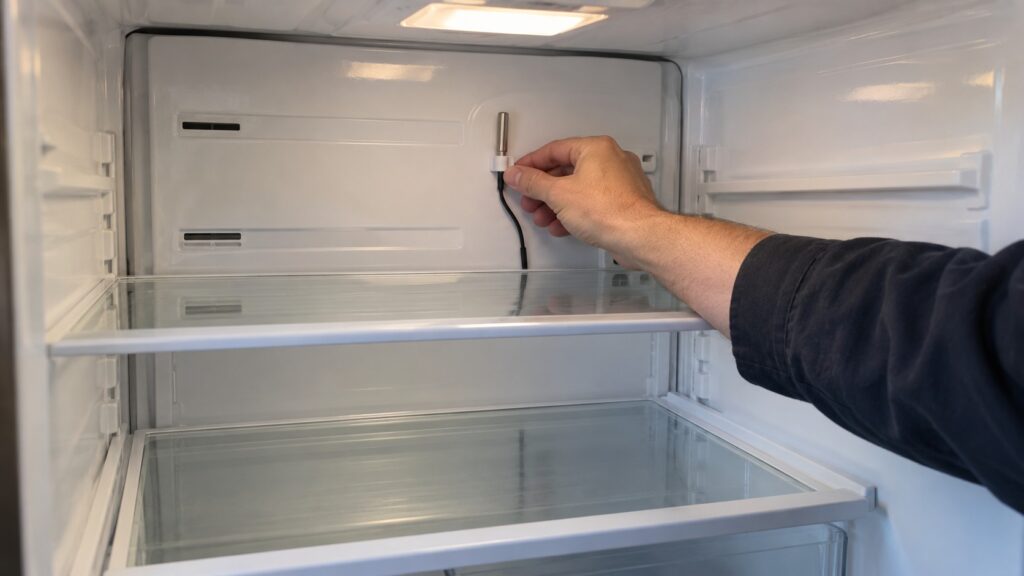
The sensor is a small temperature probe, a thermistor, which is a bead of material whose electrical resistance changes in a known way as it gets warmer or colder. The control board reads that resistance and converts it to a temperature. Our guide to the Liebherr BT sensor codes explains the same idea from the failure side: when the reading falls outside what a working probe can produce, the control raises a code that names the probe.
The probe has no say in what happens next. It is a measuring instrument. All it does is hand the board a number, again and again, and the board decides what that number means against the temperature you chose.
How does the control decide when to cool?
Think of a thermostat in a house. You pick a target. When the measured temperature rises above it, the control asks for cooling; when the reading comes back down to the target, the control stops. The cabinet therefore never holds one perfectly flat temperature. It drifts slightly up while the cooling is off and slightly down while it is on, and the sensor is what the control watches to know which way to move.
That is why a fridge that has just had its door opened seems to run longer for a while. Warm air came in, the sensor reported a higher reading, and the control kept the cooling on until the reading returned to target. The compressor running is a sign the system is responding, not a sign something is wrong. How the set temperature is chosen on your model, and what the display shows while it settles, is in the owner’s manual and in our guide to Liebherr temperature settings.
What is the second sensor on the cold coil for?
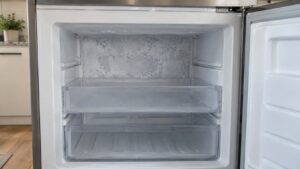
A cooling coil, the evaporator, collects frost as it pulls moisture out of the air. In a frost-free cabinet the control clears that frost automatically, and on models with a coil sensor that probe is how it knows what the coil is doing. Our explanation of NoFrost describes the cycle: frost collects on the hidden coil and a timed defrost melts it and drains it away. The evaporator probe helps the control time that defrost and tell when the frost has melted so it can stop.
Because this probe is out of sight behind the rear wall, a fault in it behaves differently from a fault in the air sensor. The display can look perfectly normal while frost slowly builds behind the shelves. The practical sign is on the wall, not on the panel, which is why the sensor pages on this site tell you to look at both.
How do fans and circulation fit in?
In a fan-cooled cabinet, the fan moves cold air from the coil around the compartment so the shelves stay at a similar temperature. Our PowerCooling explanation covers that side. The sensor measures the result, and the control adjusts the cooling to match. If packed food blocks the vents, the air sensor may read fine at its own position while another shelf runs warmer, because it can only report the place where it sits. That is a loading problem, not a sensor problem, and it is worth ruling out before suspecting a part.
What happens when a sensor stops working?
The control does not simply shut down. On many Liebherr appliances it falls back to a default program that keeps cooling roughly on target until the probe is replaced. That fallback is deliberately conservative. It protects food for a while, but it is not a way to run the appliance for weeks, because the control is no longer measuring what it is managing. Our F1 to F4 sensor code guide lists which probe each code names on each appliance family, and it stresses writing down the appliance and the exact code before you contact anyone.
A sensor fault usually leaves signs you can see without tools: a display that is stuck, shows dashes or reads something absurd; a compartment that feels colder or warmer than the display says; or frost on the rear wall of a frost-free cabinet. Take a note of each. If you have a separate thermometer, use it to check the real temperature rather than trusting the display alone.
What can you check yourself, and what belongs to a technician?
You can check the things that change what the sensor sees. Keep the door seals clean and closing, because warm air coming in changes every reading. Do not block the vents. Let new food cool before it goes in. Avoid placing a thermometer or anything else against the rear wall in a way that covers a probe. Then give changes time to settle before you judge them.
Replacing a probe is not an owner job. Reaching it usually means getting behind a panel, and telling a failed probe from a bad connector or a board fault takes proper equipment. Do not open panels yourself; that is a technician’s job. If the display shows a sensor code, or the temperature does not follow the setting, our refrigerator repair page explains how a visit works.