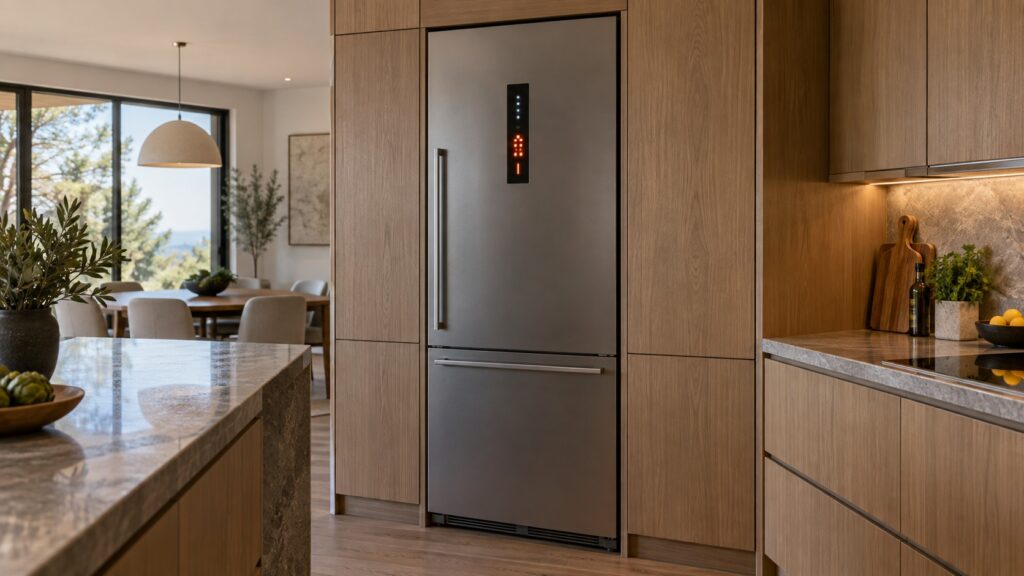
A Liebherr PH001 error is a communication fault: two of the electronic parts inside the appliance have stopped talking to each other cleanly. PH002 is the same kind of failure reported a second time, from the second link in the chain. Neither code is about temperature, and neither one means the cooling has failed — on a Monolith column the compartment usually goes on holding its setting while the panel complains. What has broken is the conversation between the control board, the display and the SmartDeviceBox module that gives the appliance its connectivity.
What does a PH001 error mean on a Liebherr?
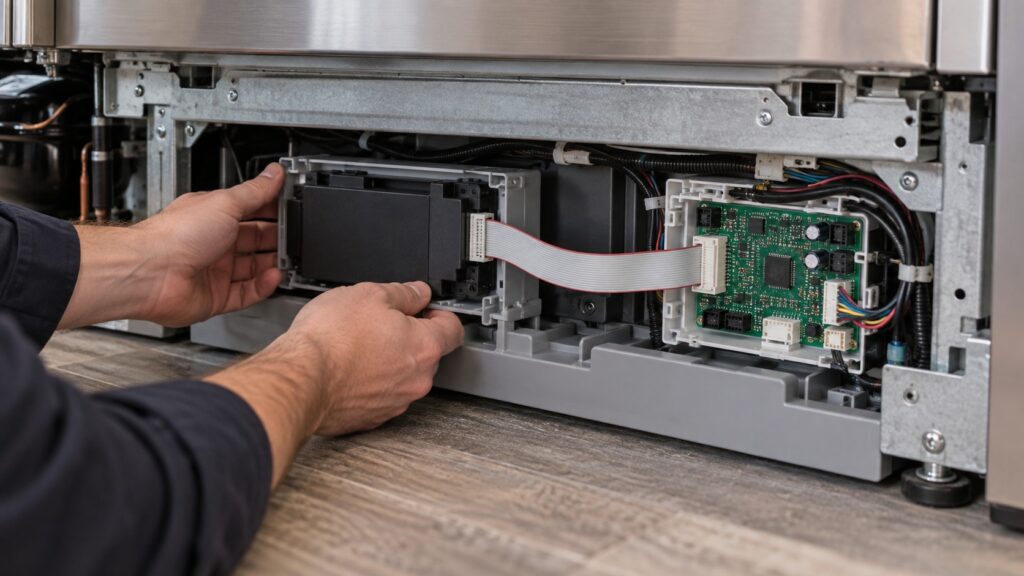
Inside a modern Liebherr there is a short internal network. The main control board runs the refrigeration. The display module takes your touches and shows temperatures. The SmartDeviceBox — a separate module, fitted at the factory on some lines and retrofitted into a slot on others — carries everything to your network and the app. They exchange short messages continuously, and each one expects a reply in a known format within a known time.
PH001 appears when those replies stop arriving, or arrive in a shape the other end cannot parse. The causes divide neatly into three: a physical one, where a ribbon cable or plug has worked loose, corroded in a damp installation or been pinched during a past repair; an electrical one, where a brownout or a surge has left one module in a confused state; and a module one, where the SmartDeviceBox or the board behind the panel has genuinely failed.
What the code never means is a refrigerant problem. If your column has also stopped cooling, you are looking at two separate things, and a Monolith that is not cooling is the page for the second one.
How is PH002 different from PH001?
They are the same species of fault, reported from a different seat. Treat them as a pair rather than as two unrelated problems, because the useful information is in the pattern rather than in either number by itself.
One code alone, appearing once, after a storm or a power cut, is usually a module that came up in a bad state and will clear on a power cycle. One code alone, returning every time the appliance is powered up, points at a connection or a module that has actually failed. Both codes together, or a code that alternates between the two, points at the shared link rather than at either end of it — which in practice means the harness, the plug, or the power supply feeding the modules.
The wider list of what a column can display, including the sensor and alarm families, is in our guide to Monolith error codes.
Is this the same as my Wi-Fi dropping out?
No, and this is the single most useful distinction on the page. A Wi-Fi problem is a conversation between the SmartDeviceBox and your router. A PH code is a conversation between the SmartDeviceBox and the appliance it lives in.
The way to tell them apart takes one minute. If the app says the appliance is offline but the panel on the door is completely normal — settings save, temperatures update, no code — your network is the problem, and SmartDevice Wi-Fi setup walks through pairing again. If the panel itself is showing PH001 or PH002, moving the router will change nothing at all: the fault is inside the cabinet and it would still be there with no network in the house.
If the term itself is new to you, our glossary entry on SmartDevice explains what the module does and what it does not.
What should I do before calling a technician?
Start by recording the code exactly as the panel prints it. If it shows PH001.1 or PH001.2, write the digit after the point down too — it narrows which side of the link raised the complaint, and it is the kind of detail that decides whether a technician arrives with a module or a board.
Then power the appliance down properly. On a built-in column the outlet is usually behind cabinetry and out of reach, so use the breaker: off for five full minutes, then on. That is long enough for the modules to lose their state and come up clean, and it is the one action that resolves a genuine one-off.
While it is off, check the temperature you had set and write that down as well, because some faults of this family drop the appliance back to a default. When power returns, watch the first two minutes: a panel that lights, runs through its start sequence and settles with no code has fixed itself. A panel that shows the same code within seconds has not.
Finally, keep an eye on the compartment itself for the next day. A column with a communication fault normally holds temperature perfectly, and if yours starts drifting, that is new information worth passing on.
What should I not do?
Do not pull the plinth off and start unplugging the module. The SmartDeviceBox sits in a bay alongside mains wiring, the connectors are small and keyed, and a ribbon reseated slightly out of line produces the same code plus a dead display. A built-in column is also heavy and tied into the cabinetry, and sliding one out to reach the back is a two-person job with a real risk to the floor and to the water line if an ice maker is fitted.
Do not leave the appliance switched off overnight to see if a rest helps either. It will not help the code, and it will cost you the contents. Do not keep clearing the code over and over: on an appliance that is otherwise running fine, a code that returns three times has told you everything it is going to tell you, and the next step is a measurement rather than another reset.
If the appliance was installed recently, mention that too. A communication fault that appears in the first weeks of a new installation frequently traces back to a connector that was never fully seated, and the column installation guide covers what should have been checked at handover.
When should I call a technician?
Call when the code returns after a five-minute power cycle, when PH001 and PH002 appear together, when the panel has begun refusing to save settings, or when a communication code is keeping you from seeing temperatures on an appliance full of food you care about. Those are module and harness faults, and they are measured rather than guessed at: a technician reads the link, checks the supply to the modules and replaces the one part that is actually failing.
The individual code pages carry the checks for each one — PH001 on a Monolith column and PH002 on a Monolith column.
We are an independent repair company, not a factory service arm. Pricing starts from a diagnostic visit and we confirm the estimate before any work begins. Liebherr Monolith repair covers control boards, display modules, harnesses and connectivity hardware, and you can schedule a visit online or call 1-844-731-4681.