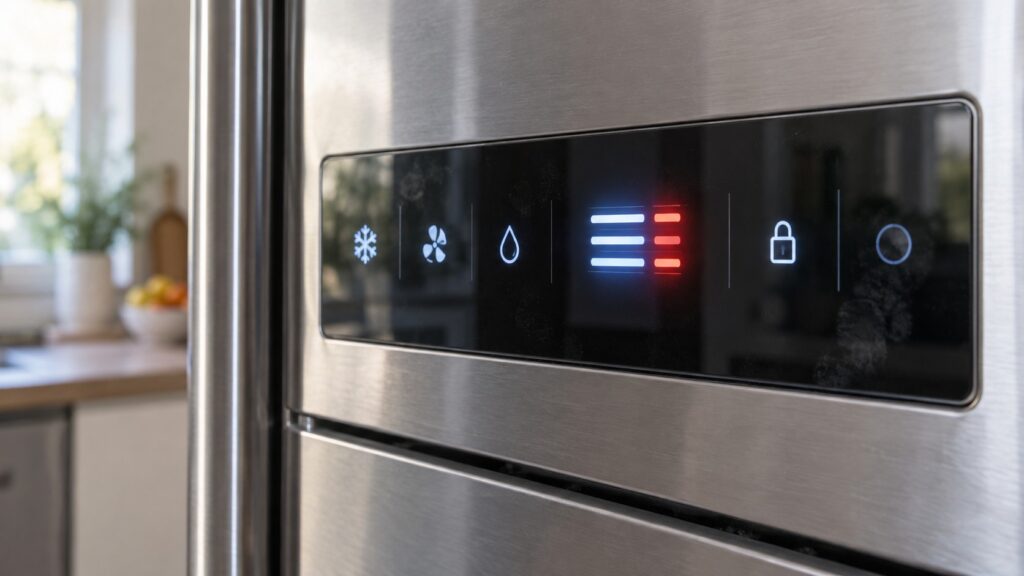
Liebherr fridge error symbols fall into three groups, and telling them apart is most of the work. Some are status indicators doing their job — the rapid-chill light, the child lock, the filter reminder. Some are alarms: a flashing temperature or a door symbol, saying a condition happened and wants acknowledging. And a few are genuine fault codes about the panel itself, such as PZ001 and PZ002, which report a display or user-interface problem rather than anything to do with cooling. A blinking display is not automatically a broken appliance, and the group a symbol belongs to decides whether you press a button or pick up a phone.
Why is my Liebherr temperature display flashing?
A flashing number is the most common of all the Liebherr fridge error symbols, and it is almost always an alarm rather than a failure. The control measures a compartment continuously; when it finds the temperature outside the band it was asked to hold, it flashes the reading and, on most models, sounds a tone. Crucially, it keeps flashing after the temperature has come back, because the point of the alarm is to tell you something happened while you were not looking.
So the first question is not “what is broken” but “what happened in the last day”. A door left ajar after unloading groceries, a warm shopping load put in all at once, a power cut overnight, or a holiday setting that was never switched off — each of those flashes the display and each resolves on its own. Acknowledge the alarm with the button your model uses, then watch for an hour. A reading that settles and stays settled was a one-time event. A reading that drifts warm again is a cooling question, and a Liebherr fridge that is not cooling is the place to go next.
If the alarm is specifically about a door, our guide on the Liebherr door alarm covers how long the delay is and what makes it trigger with the door apparently shut.
What do the lit symbols on the panel actually mean?
Most of what people describe as warning lights are functions they switched on and forgot about. Rapid chill and rapid freeze both light a symbol and both run the compartment harder for a set period before dropping back — the rapid-freeze function explained covers how long that period lasts and why it looks like the appliance is behaving oddly while it runs.
A key or padlock symbol is the child lock, and it explains a panel that seems dead to the touch while everything else looks normal. A suitcase or palm-tree symbol is a holiday mode, which lets the fridge section sit warmer than usual and is a frequent cause of “the milk does not last any more” weeks after someone pressed it. A filter symbol is a counter, not a measurement: it lights on schedule whether or not your water is bad, and the water filter guide covers resetting it.
The way to settle any of these in one step is to set the temperatures from scratch, which our guide on Liebherr temperature settings walks through. If the symbols clear as you do it, they were modes.
What do dashes on the display mean?
Dashes instead of a number mean the panel has nothing valid to print. There are two quite different reasons for that, and they look identical.
The first is demonstration mode: a showroom setting that lets the lights and the panel work while the cooling stays off. It survives being unpacked and delivered, and a brand-new appliance that lights up beautifully and never gets cold is very often in this mode rather than broken. The second is a lost temperature reading — the sensor for that compartment has failed, so the control has no value to display and prints dashes instead. That one belongs to the sensor family, and our guide to the Liebherr BT sensor codes covers which probe is which.
Telling them apart takes a few hours of patience: an appliance in demonstration mode is silent, room temperature and unbothered, while an appliance with a failed probe is running, cold to the hand and showing dashes at the same time. The demo mode page covers how the setting is switched off on the common panels.
What do PZ001 and PZ002 mean?
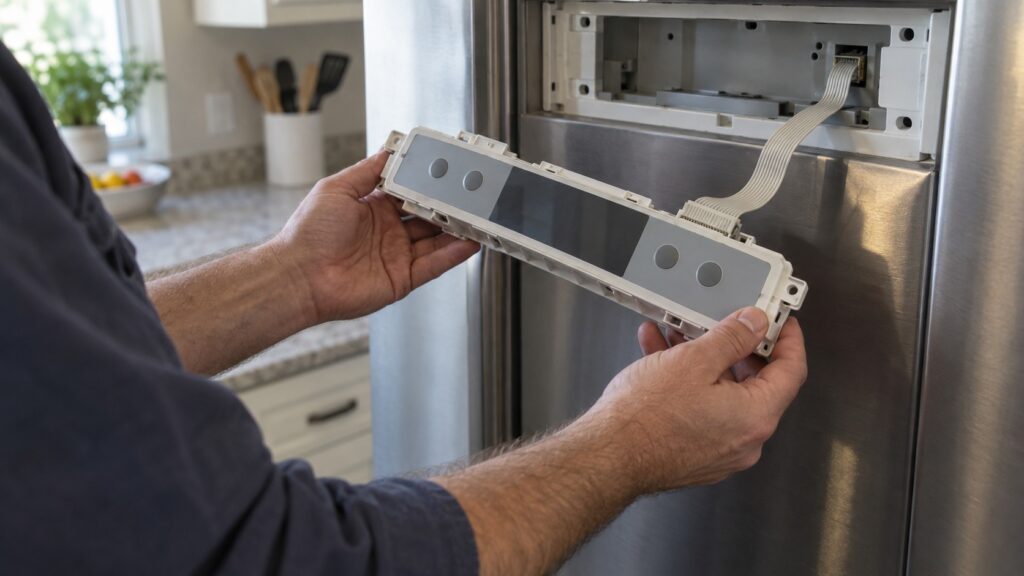
PZ001 and PZ002 report a display or user-interface problem — the panel hardware itself, rather than the refrigeration behind it. In practice that shows up as a panel that lights but ignores touches, a display with missing segments, settings that will not save, or a screen that freezes on one value while the cabinet carries on cooling normally.
These are worth separating from the alarms above for one reason: nothing you press will fix them, because pressing is the part that has stopped working. Cut the power at the breaker for five minutes and see whether the panel comes back — a one-time confusion after a surge does clear that way. If it returns, the panel module or its ribbon connection needs measuring, and the individual pages for PZ001 and PZ002 carry the checks. Do not take the panel apart yourself: the module is thin, the ribbon is fragile, and the trim is easy to mark permanently.
Which symbols mean call someone, and which do not?
You can settle these yourself: a lit function symbol, a filter reminder, a child lock, a holiday mode, and a single alarm that acknowledges and does not return. Each of those is a setting or an event, and none needs a visit.
Call when a temperature alarm comes back after you have acknowledged it and closed the door properly; when dashes persist on an appliance that is clearly running; when the panel ignores touch or shows PZ001 or PZ002 after a power cycle; or when a symbol appears together with frost on the rear wall, water in the bottom of the cabinet or a fan that has become noisy. Those combinations are hardware, and a guess costs more than a measurement.
We are an independent repair company, not a factory service arm. Pricing starts from a diagnostic visit and we confirm the estimate before any work begins. Liebherr refrigerator repair covers control panels, sensors, door hardware and defrost systems, and you can schedule a visit online or call 1-844-731-4681.